While Firefox 3.0 improved typographic rendering by introducing support for kerning, ligatures, and multiple weights along with support for rendering complex scripts, authors are still limited to using commonly available fonts in their designs. Firefox 3.5 removes this restriction by introducing support for the CSS @font-face rule, a way of linking to TrueType and OpenType fonts just as code and images are linked to today. Safari has supported this type of font linking since version 3.1, and Opera has announced that they plan to support it in Opera 10.
Using @font-face for font linking is relatively straightforward. Within a stylesheet, each @font-face rule defines a family name to be used, the font resource to be loaded, and the style characteristics of a given face such as whether it’s bold or italic. Firefox 3.5 only downloads the fonts as needed, so a stylesheet can list a whole set of fonts of which only a select few will actually be used.
/* Graublau Sans Web (www.fonts.info) */ @font-face { font-family: Graublau Sans Web; src: url(GraublauWeb.otf) format("opentype"); } body { font-family: Graublau Sans Web, Lucida Grande, sans-serif; }
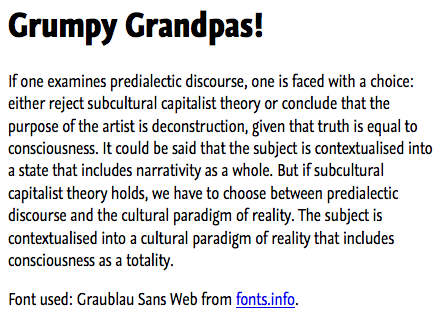
Browsers that support @font-face will render text using Graublau Sans Web while older browsers will render text using either Lucida Grande or the default sans-serif face. Example here:
Digging A Little Deeper
Most font families today consist of only four faces: regular, bold, italic and bold italic. To define each of these faces the font-weight and font-style descriptors are used. These define the style of the face; there’s no concept of a cascade or inheritance that applies here. Without an explicit definition each of these defaults to a value of ‘normal’:
/* Gentium by SIL International */ /* http://scripts.sil.org/gentium */ @font-face { font-family: Gentium; src: url(Gentium.ttf); /* font-weight, font-style ==> default to normal */ } @font-face { font-family: Gentium; src: url(GentiumItalic.ttf); font-style: italic; } body { font-family: Gentium, Times New Roman, serif; }
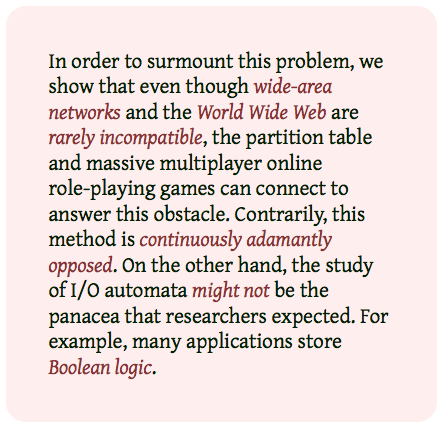
The sample text below when rendered with this font family:
A feature that’s easy to overlook is that @font-face allows the creation of families with more than just regular and bold faces — up to nine weights can be defined for a single family. This is true even on Windows, where underlying platform limitations usually restrict font families to just regular and bold weights. Fonts such as those of the Japanese open source M+ Fonts project have as many as seven weights. A selection of these are used in the sample below:

In some situations, authors may prefer to use fonts available locally and only download fonts when those faces aren’t available. This is possible with the use of local() in the definition of the src descriptor of an @font-face rule. The browser will iterate over the list of fonts in the src descriptor until it successfully loads one.
/* MgOpen Moderna */ /* http://www.zvr.gr/typo/mgopen/index */ @font-face { font-family: MyHelvetica; src: local("Helvetica Neue"), local("HelveticaNeue"), url(MgOpenModernaRegular.ttf); } @font-face { font-family: MyHelvetica; src: local("Helvetica Neue Bold"), local("HelveticaNeue-Bold"), url(MgOpenModernaBold.ttf); font-weight: bold; } body { font-family: MyHelvetica, sans-serif; }
The screenshot below shows from top to bottom the results on Mac OS X, Windows and Linux for a simple testcase that uses the font family defined above:
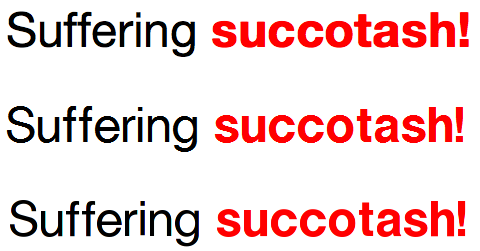
The Helvetica Neue font family is available on most Mac OS X systems but generally on neither Windows nor Linux machines. When the example here is rendered on Mac OS X, the local Helvetica Neue faces are used and no font is downloaded. Under Windows and Linux the attempt to load a local font fails and a substitute font — MgOpen Moderna — is downloaded and used instead. MgOpen Moderna is designed to be a substitute for Helvetica, so it renders similarly to Helvetica Neue. This way, an author can guarantee text appearance but avoid a font download when it’s unnecessary.
The name used to refer to a specific font face is the full name for an individual font. Generally it’s the family name plus the style name (e.g. “Helvetica Bold”). Under Mac OS X, the name is listed in the information panel for a given face. Select a single face and choose ‘Show Font Info’ from the Preview menu in FontBook:

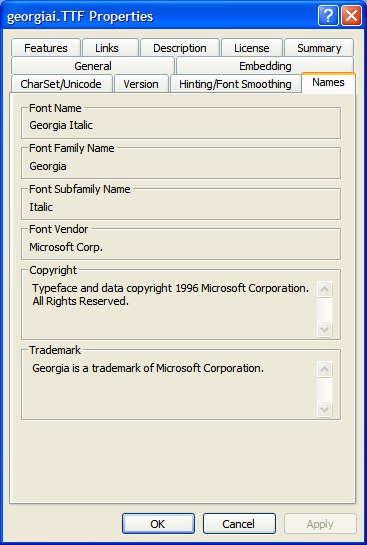
Similar tools exist under Linux. On Windows, use the font properties extension, a free download from Microsoft to view these names. With the extension installed, the properties panel shows information about an individual font. The full name is referred to as the “Font Name” on the Name tab:
Safari only supports PostScript name lookup under Mac OS X, so under Mac OS X Postscript names are also supported. For OpenType PS fonts (often labeled with an .otf extension) the full name is the same as the PostScript name under Windows. So for these fonts, authors are advised to include both the full name and the PostScript name for cross-platform interoperability.
Supporting Many Languages
Many languages suffer from a lack of commonly available fonts. For minority languages and ancient scripts, the options often dwindle to just a handful. The use of @font-face allows authors using these languages to ameliorate this by including fonts with their pages.
@font-face { font-family: Scheherazade; src: url(fonts/ScheherazadeRegAAT.ttf) format("truetype-aat"), url(fonts/ScheherazadeRegOT.ttf) format("opentype"); } body { font-family: Scheherazade, serif; }
Languages such as Arabic require text shaping, where the display of a given character is affected by the characters surrounding it. Different platforms support different rendering technologies to enable text shaping; under Mac OS X, AAT fonts are required while under Windows and Linux OpenType fonts are required. Without a font in a format required for a given platform, text shaping will not be rendered correctly.
Under Mac OS X, the AAT version of the font is downloaded. On Windows and Linux, where rendering with AAT fonts is not supported, the download of the AAT font is skipped and the OpenType font is used instead. Hence, the text is rendered correctly on all platforms.
Cross-Site Font Usage
By default, Firefox 3.5 only allows fonts to be loaded for pages served from the same site. This prevents sites from freely using fonts found on other sites. For sites that explicitly want to allow cross-site font sharing, an online font library for example, Firefox 3.5 supports the use of access control headers to control this behavior. By adding an additional header to the HTTP headers sent with font files, sites can enable cross-site usage.
# example Apache .htaccess file to add access control header <FilesMatch "\.(ttf|otf)$"> <IfModule mod_headers.c> Header set Access-Control-Allow-Origin "*" </IfModule> </FilesMatch>
With this HTTP header enabled, any page can access the fonts on this site, not just pages from the same site.
Font Licensing Issues
When using a font for a website, it’s important to always confirm that the font license permits use on a website. If the license agreement is filled with opaque legalese, err on the side of caution and check with the font vendor before using a font on a site. If the license permits its use, it’s a good idea to add a comment near the @font-face rules that points to the license, for future reference.
“I found a free font, can I use it on my site?”
Maybe, maybe not. Some free fonts are distributed as teaser products to encourage a purchase and don’t allow for redistribution or posting on a web server. Check the license, even for free fonts.
“I just want to use [insert favorite font name here] on my site. Is that possible?”
Right now, probably not. The use of font linking on the web is still in its infancy. Most fonts that ship with proprietary OS’s today have licenses that limit their use to standard desktop applications, so uploading these fonts to a web server is almost certainly not permitted. Piracy has plagued the font industry in the past, so most font vendors are wary of allowing their fonts to be used except in relatively limited contexts. Many font vendors are focused on the needs of publishing and printing industries, and the relative complexity of their license agreements often reflects this. In the future, some font designers may conclude that the sales of fonts as web fonts will outweigh any potential loss in sales due to piracy, others may not. Their license agreements will reflect this choice and should be respected.
The stock photography market is often described as a $2 billion market but the web font market is still close to a $0 market, it can only go up!
Font Linking In Internet Explorer
Font linking has been possible with Internet Explorer but only for linking to fonts in the proprietary EOT font format. The only way to create EOT fonts is to use the Microsoft WEFT tool, available only on Windows. Only TrueType and OpenType TT fonts can be converted to EOT format, OpenType PS (.otf) fonts cannot be used.
Internet Explorer only recognizes the font-family and src descriptors within @font-face rules, so each family can only contain a single face. It doesn’t understand format() hints and will ignore any @font-face rule containing these hints. This behavior can be used enable font linking cross platform:
/* Font definition for Internet Explorer */ /* (*must* be first) */ @font-face { font-family: Gentium; src: url(Gentium.eot) /* can't use format() */; } /* Font definition for other browsers */ @font-face { font-family: Gentium; src: url(Gentium.ttf) format("opentype"); }
Future Work
For Firefox 3.5, the font-stretch and unicode-range descriptors are not supported. Fonts defined in SVG documents are also not supported yet. These are under consideration for inclusion in future releases. As always, patches are welcome!
Further Resources
Documentation
- MDC @font-face documentation
- CSS2 Fonts specification
- CSS3 Fonts draft
- Cross-Origin Resource Sharing Working Draft
Examples
- CSS @ Ten: The Next Big Thing
- Example layout using Graublau Sans
- Examples of Interesting Web Typography
- The Elements of Typographic Style Applied to the Web
Font Resources
- Font Squirrel
- 10 Great Free Fonts for @font-face
- Web-based font subsetting tool
- 40 Excellent Free Fonts by Smashing Magazine
- FontTools/TTX – Python scripts for displaying font data
Font Politics
- Microsoft’s Bill Hill about Font Embedding
- Microsoft’s Chris Wilson about direct linking to TrueType fonts
- Robert O’Callahan’s blog post on web font formats
- Discussion of font formats at W3C TPAC meeting
- Mark Pilgrim’s post critical of font foundries
- David Baron’s thoughts about downloadable font formats


Fonts. About bloody time!!
Awesome work, nicely explained… I am looking forward to using this stuff soon.
When we imagine that we’ll be able to do with we quckly understand that it will become essential.
Great work!
(ps : Sorry for my bad english I’m french ^^)
You really haven’t addressed the fact that CSS weight definitions (bizarrely numeric) have no relation whatsoever, let alone a dependable authorial relation, to weights of actual typefaces.
I thought it was cute you had to scour the entire world to find an open-source typeface with more than two weights. Because open-source fonts are the norm, after all.
Great article!
FireFox 3.5 doesn’t seem to pick up on “font-variant:small-caps” though when adding the small-caps variant via @font-face, which is a shame.
(So if you put that in last, all text will default to the small-caps variant!)
When is that feature planned?
Does it work with XULRunner apps using chrome src URLs?
@Joe Clark:
The weight system in CSS is based on OpenType. In general 400 maps to normal, 700 to bold, but for a given family it’s completely subjective. And completely under your control as an author, the weight listed (or implied) in an @font-face rule is completely under your control. And the fonts chosen here are highlighted because they are available for use with @font-face.
@James John Malcolm
In general, most browsers don’t implement small caps *matching*, only “fake” small caps by swizzling around the font size. OpenType fonts implement the ability to define small caps as a variant, treating font-variant as a rendering property rather than a face selection property seems to be make sense. Although font designers do seem to still ship separate small caps faces (e.g. Axel), so it may be worth considering this addition in the future.
Great article, cleared up a question or two I had (about local face matching via the name)
One unfortunate thing is that Microsoft’s font properties extension is 32Bit only, leaving 64Bit users (like myself) out in the cold.
http://code.google.com/p/ttf2eot/ is a GPL EOT (de)converter, so when you say “The only way to create EOT fonts is to use the Microsoft WEFT tool, available only on Windows.” that is no longer true
Dear browser builders,
Please please please implement all the CSS3 you can get. That will make the world much much better, and beautiful! Especially @font-face because it’s the feature we are all waiting for years now. Only thing to solve is the legal issue about fonts…
Thanks for the article!
Sometimes I wonder if there should be some kind of charity/publi-non-profit group that can fight for web standards, that are not already browser vendors or the W3C. There’s a giant hole in the web called “formats” and it’s leaking a lot of creativity.
@Alex:
The other option is FontTools/TTX, it’s a bunch of Python scripts for dumping out font data. http://sourceforge.net/projects/fonttools/
ttx -t name font.ttf
@John Daggett:
Exactly, it’s extremely handy for fonts which have a seperate small-caps version. (Such as Fontin Sans[1], which I used on Standards.next)
Webkit does already have support for font-variant:small-caps, although it doesn’t imply “font-weight:normal” or “font-style:normal” seemingly…
[1] http://www.exljbris.nl/ -> Fontin Sans
[2] http://standards-next.org/
@john
Thanks for the info and the fine work you’ve done. Truly.
In line with discussing @font-face, there is a new and serious proposal regarding a web-specific file format on the table:
The Proposal
Discussion Of New Web Fonts Proposal on Typophile
In-Depth Analysis: Apple and Microsoft In Talks On Web Font Protections
I’d love to know your thoughts on the matter.
@Richard Fink
I saw the Ascender proposal, I think it’s part of a larger discussion related to the whole font ecosystem. The @font-face mechanism is just one step that enables wider use of typographically rich fonts on the web. A lot more thought needs to occur related to the business model for font vendors (e.g. direct sale of fonts or server-based models like Typekit), ways of making licensing more understandable and accessible by mere mortals, and how to make better use of the available features in fonts.
It is nice to see this in Firefox and other browsers. What is disappointing is that no one seems to implement web fonts when printing. This seems a large feature gap that no one seems to be addressing.
@John Daggett
1. « Most font families today consist of only four faces: »
This is platform-dependant. The default font family under Linux is usually DejaVu Sans, and it has included more for a long time.
Modern font faces allow variants along the weight (normal/bold/heavy…) width (normal/condensed/expanded) slant (normal/oblique/italic axis). Sadly Firefox still does not support the slant operator
2. Your Helvetica Neue / MgOpenModerna pattern is a perfect example why @font-face will likely lead to more web breakage: the CSS is advertising Helvetica Neue, but downloading MgOpenModerna, so even if a recent up-to-date MgOpenModerna is available on system it will waste resources fetching a (likely obsolete) MgOpenModerna from the web.
@James John Malcolm
Making small caps a variant is contrary to WWS font naming specifications, please do not advocate it.
« Sadly Firefox still does not support the slant operator »
sorry I meant width here
https://bugzilla.mozilla.org/show_bug.cgi?id=3512
@Nicolas
Please don’t confuse the practices of the WWS font naming specification with practices CSS should adopt to make styling websites as easy for developers as possible. Adding “font-variant:small-caps;” to the list of declarations is the method CSS in use today to obtain text in Small Caps of the font in use. It would be beyond silly to use another method for @font-face (and not to mention increase the possibility for renderer bugs).
And stop telling people what to advocate or not.
I’m running Firefox 3.5 Beta 4 on Fedora (Linux) and am not getting any of the fonts to show in your examples. They flicker briefly and then are replaced by boxes with numbers in them, like when I don’t have a Unicode font installed.
Interestingly the fonts are supported in Midori (a webkit based browser).
Great post.
It seems that font-face doesn’t work wit the media print. With Safari this is OK.
@John Daggett
It occurred to me after your reply to my previous post that my ceaseless harping on issues regarding @font-face may have been bad form and a simple “Congrats, Great work!” would have sufficed.
I left this comment for Robert Callahan:
>@robert,
>If you’re still monitoring this thread…
>In retrospect I’m very glad font-linking was implemented in FF 3.5.
>It’s clear to me now that the only way forward was to just do it >and get beyond talking.
>In a year or two, we’ll all have a much better idea of whether >@font-face needs refinement based on results in the real world.
>Thanks for your fine work. FF3.5 looks great.
And then, I read David Baron’s thoughts and found a more sober, reflective thinking going on than (I think) I did last year in the rush of development.
A more informed and constructive debate and analysis is going on among font-vendors, as well.
Wishing you a smooth release of 3.5.
Richard Fink
@Richard Fink
Thanks!
Thank you!!
Congratulations, and great work.
@ John Daggett,
Regarding
font-family: Graublau Sans Web;
and
font-family: Graublau Sans Web, Lucida Grande, sans-serif;
“Font names containing any such characters or white space should be quoted”
CSS 2.1, section 15.3 Font family: the ‘font-family’ property
http://www.w3.org/TR/CSS21/fonts.html#propdef-font-family
regards, Gérard
The only thing that I regret is that you can’t specify a size for each variant (listed in font:). So if the browser does not support @font-face, the user may end with a font bigger or smaller than wanted.
But maybe there is a tip for that ?
@Gérard Talbot
Right, quotes are required when you use a font with a family name that contains quotes, semi-colon’s, etc., as listed in the section you reference. But *not* spaces.
@marlwin
Use font-size-adjust?
http://www.w3.org/TR/css3-fonts/#relative-sizing-the-font-size-adjust-pro
John Daggett,
Thanks, this is very educational. I was just reading the W3C document and came across this:
“The font-size-adjust property is a way to preserve the readability of text when font fallback occurs. It does this by adjusting the font-size so that the x-height is the same irregardless of the font used.”
I don’t know if you wrote this, but “irregardless” is not a word. It’s “regardless”.
While I’m at it, James John Malcolm, it’s “sepArate” not “sepErate” and the word “which” should be replaced with “that” in this sentence:
“Exactly, it’s extremely handy for fonts which have a seperate small-caps version”
Sorry to be so anal, but if even one person’s grammar or spelling improves as a result of this comment, it will have been worth it!
Can we use “@font-face” inline? For example, if you just want one crazy symbol out of wingdings.
Now if we can only get IE to drop EOT in favor of TTF/OTF, we can actually implement this for all users!
And keep the free, embeddable fonts coming!!
Does anyone have a clue how to convert a OTF file into a EOT file?
@fussyfont
Thanks for the edit! Feel free to post other things you find to the www-style mailing list, that’s the best place for editorial comments.
@jens wedin
No, the Windows embedding API which supports EOT does not currently support .otf (Postscript CFF) fonts. That’s also why you can’t embed these fonts in Word documents.
@Jens Wedin
There is a way to covert OTF to EOT, just not directly. Fontforge[1] can convert OTF to TTF, and TTF2EOT[2] can (surprise, surprise!) convert TTF to EOT (only seems to work under Linux for now).
Haven’t got Fontforge to correctly convert anything for myself yet, but it should definitely be possible.
@Mr. Fussyfont
Gee thanks. Come here and let me wri..uhm, thank you. It’ll be worth it!
[1] http://fontforge.sourceforge.net/
[2] http://code.google.com/p/ttf2eot/
Hi and thanks for reply!
I did some testing a research to see if I could get the an EOT file from an OTF file and this is what I did.
1. Get the OTF file
2. Convert the file at http://onlinefontconverter.com/
3. Download it and install in in Windows fonts folder
4. Run WEFT (I have mac so I run ut under Paralels)
5. Follow the instructions from this site, http://www.spoono.com/html/tutorials/tutorial.php?id=19
6. Make the changes to your css file and upload the eot file to the webserver.
7. Check out the nice result
Here is how it looks for my site in a bunch of browsers
http://yfrog.com/5dnfep
Cheers,
Jens
I’ve documented how to relax CORS restrictions at http://openfontlibrary.org/wiki/Web_Font_linking_and_Cross-Origin_Resource_Sharing
With CSS3 and the continued development for Firefox, Safari, and Chrome its only a matter of time before we will all be able to use custom fonts within our websites. Other than a few licensing issue and Internet Explore being dead weight the time should be here sooner than later.
Very good article, thank you!
I have the same question as Koolwriting, is there a way to do this using inline style=”font stuff here” on an HTML element? Blogger won’t let me put a script block in a post.
If I put the @font-face in a style attribute, Firefox 3.6a1pre Error Console complains “Warning: Expected declaration but found ‘@font-face’”
@skierpage
No, @font-face rules can’t be defined via style attribute settings.
Great article, I can’t wait for the modern browsers to be more saturated so we can use CSS3! Its very tempting to start using them fully.
My excitement for Firefox’s support of @font-face is tempered by the fact that Firefox seems unable to display beautiful fonts beautifully. Compare the following screenshots of the Gentium sample text, all made from openSUSE 11.0:
Firefox 3.5.2: http://static.zooomr.com/images/7931158_b05f09ffb8_o.png
Epiphany 2.22.1.1: http://static.zooomr.com/images/7931142_a2ad0d7e1f_o.png
Konqueror 4.0.4: http://static.zooomr.com/images/7931167_a0b8f3269c_o.png
Opera 9.6.4: http://static.zooomr.com/images/7931181_c13e043ea0_o.png
Gentium is installed on my machine, and every browser seems to render it fine–except Firefox. This font rendering problem is not limited to Gentium; many fonts display fine in other browsers but terribly in Firefox. I get similar results in my Windows Firefox (3.0.12). I’m a big fan of Firefox but I can’t understand why it struggles with font rendering when every other browser seems to have it figured out. What gives?
@Aric, could it be because of the font? When I look at a testpage I did on my own it looks ok in Firefox, have a look below and tell us how it look.
http://jenswedin.com/
/Jens
@Jens, thanks for your reply. Below is a screenshot of your webpage rendered in Firefox 3.5.2 on my system:
http://static.zooomr.com/images/7986522_4fefeecee8_o.png
And here it is rendered in Konqueror 4.0.4:
http://static.zooomr.com/images/7986619_6cdf870877_o.png
The rendering in Firefox is not bad (it’s downright beautiful compared to the Gentium italics), although I do prefer the Konqueror rendering–compare the bowls of the “e” and kerning within the word “posted”. My problem is that I am a linguist working with Native American languages, which use uncommon accented letters such as a circumflex over the letter x or a dot below a barred l. I would like to use @font-face to make my linguistic data accessible to the Native community, but I will need to use a font (like Gentium) that supports these uncommon diacritics; so for me, simply switching to a more “renderable” font like Museo may not be a possibility.
I think the issue I am running into is that Firefox doesn’t respect my system preferences regarding antialiasing (system is set to antialias, but Firefox doesn’t do any antialiasing). All other browsers I have tested, whether based on KDE or Gnome, honor the system antialiasing setting.
I’m not sure whether this problem stems from the Firefox source code itself, from the way the particular executable I’m using was compiled, from some Firefox-specific settings I’m unaware of, or from some other reason. I do notice similarly bad rendering in Firefox for Windows, but that may or may not be the same issue. If anyone has any insights into the source of this problem and/or ways to resolve it, I would love to hear from you.
Jens, thanks again for your response.
-Aric
@Aric, comparing your screenshots, it looks like Firefox is using hintstyle:hintfull and rgba:rgb, whereas the other applications are using something like hintstyle:hintslight and rgba:none. Not all applications always respect fontconfig rules, which may explain the difference.
Firefox will use screen settings, and let fontconfig rules tweak these.
Check ~/.fonts.conf and files in /etc/fonts/conf.d to see if hintfull or rgba values are replaced there.
The main problem I see here is that the native hinter is not producing good results with Gentium Italic. This may be because the hint instructions in the font are not so good.
Fontconfig rules can be used for setting preferred behaviour for particular fonts. For example, the following lines will force use of the FreeType’s auto-hinter (if hinting), which does a better job for this font, without turning off hinting instructions from fonts with better instructions:
@Aric Bills
I’m sure there are ways of tweaking this on your system as Karl suggests but I think this is a bug if other browsers don’t suffer the same problem. I’ve logged this in bugzilla:
https://bugzilla.mozilla.org/show_bug.cgi?id=511556
You can add yourself to the CC list to track and make follow-on comments there.
@Aric Bills
Just to clarify, the screenshots you posted are using the Gentium downloadable fonts example? Opera 9.5 doesn’t support downloadable fonts so I think you must be testing with Opera 10 beta perhaps? Or using a similar test with Gentium and Gentium Italic installed locally?
@Karl, thanks for your help. Does this mean that Firefox is honoring my settings while all other browsers are not? In any case, I was able to adjust ~/.fonts.conf to rgba:none, hintstyle:hintslight and achieve the same font rendering in Firefox as in the other browsers. It’s also helpful to know that I can make adjustments on a per-font basis.
@John, thanks for filing the bug report. If it is just a bug and easily fixable, that would be a great relief to me.
@John, I have Gentium and Gentium Italic installed locally. The screenshots are all of the same URL (http://people.mozilla.org/~jdaggett/demos/multiplefaces.html), but as far as I know only Firefox is downloading the font as directed in the CSS.
Out of curiosity, which operating system did you use to render the examples in the article?
For some reason, all of the examples work fine for me except for the Gentium one–it seems to be rendering in Times New Roman. Any reason why this might be the case?
All the examples were done on Mac OS X 10.5 except for the composite example which was also done on Windows XP and Ubuntu 9.
@Chris
If it’s not working for you, could you file a bug with the details need to reproduce the problem, especially OS version. There’s a known problem with Gentium on Windows 7, Microsoft introduced a restriction on fonts with license data larger than 5K and this affects Gentium. If they don’t rework their “fix” we’ll have to workaround that problem.
hi,
here is an online TTF to EOT font converter :
http://www.cuvou.com/wizards/ttf2eot.cgi
this may help someone…
thanks for all of these usefull informations
seb
I’m trying to find an answer for this, and haven’t been able to, so I figure I’d post it here, the grandaddy of @font-face tutorials. Does anyone know if it is possible to control the numeral formatting of an OpenType font from CSS? I’m embedding an OTF font that supports both lining and oldstyle figures, and want to tell the browser to render them oldstyle (similar to using the ‘Typography’ menu in Cocoa-based apps in OS X). Can this be done in CSS?
@G Nelson – keep in touch, we’ll have some stuff to talk about soon.
@G Nelson – If you can re-export it (or get it re-exported) without lining figures it should work.
@Blizzard – If it is what I think that it is: Awesome!
@G Nelson – the short answer is no, you can’t currently specify OpenType or AAT feature properties as per the typography panel. This is something currently under investigation, both from the standards viewpoint (how to extend CSS to support font features) and from the implementation viewpoint (how to actually implement it).
so http://www.font-face.com looks like they might have a really good service coming. I can’t wait to use @font-face regularly, easily and without hassle.